
Best AI Real Estate Photo Editor for Listing Photos
ProGrade AI handles the corrective pass on property photos: neutral white balance under mixed light, balanced exposure, open interiors and window detail pulled back where the file still holds it. It is built for people who shoot or publish listings, not for retouchers building composites.
It runs in the browser on desktop or mobile, so there is nothing to install. Below is what it does, what it deliberately does not do, real before and after frames, and how it compares to editing by hand or sending the set out.
Edit a listing photo now1 free AI edit without an account, 3 with a free account. No card required.
The actual workflow
1. Upload the frame
JPG, PNG, HEIC or a RAW/DNG file up to 100MB. RAW files are read through their embedded preview so the shot opens straight away.
2. Pick the real estate workflow
Real Estate mode grades for interiors: neutral whites under mixed light, open shadows, and windows held back rather than blown out.
3. Review, then add AI where it helps
Compare against the original before you commit. If a window or a dark corner needs more, run the AI real estate fix on that image.
4. Match the set and export
Batch Style Match applies one look across up to 5 images per run, so a listing set stays consistent. Export up to 4K.
What it corrects on property photos
Mixed or wrong white balance
Tungsten bulbs against daylight windows leave one half of the room orange and the other half blue. The grade sets a single neutral white point so cabinetry, worktops and paint read true.
Dark interiors shot without extra lighting
Shadows are lifted so furniture, flooring and room depth become readable, without the flat grey wash that comes from simply raising exposure.
Windows that read as white panels
Where the file still holds recorded highlight information, that detail is pulled back so the view returns. Genuinely clipped pixels hold no data and cannot be reconstructed. ProGrade does not merge brackets or invent a view that was never captured.
Flat, low contrast rooms
Tonal balancing gives the frame a proper black point and separation, so the space looks shot rather than scanned.
Inconsistent images across one listing
Photos taken across a morning drift in tone. Batch Style Match carries one reference grade across the set, up to 5 images per run.
Before and after, same file
Each pair is one photograph: left as uploaded, right after grading. Nothing was added, removed or replaced.
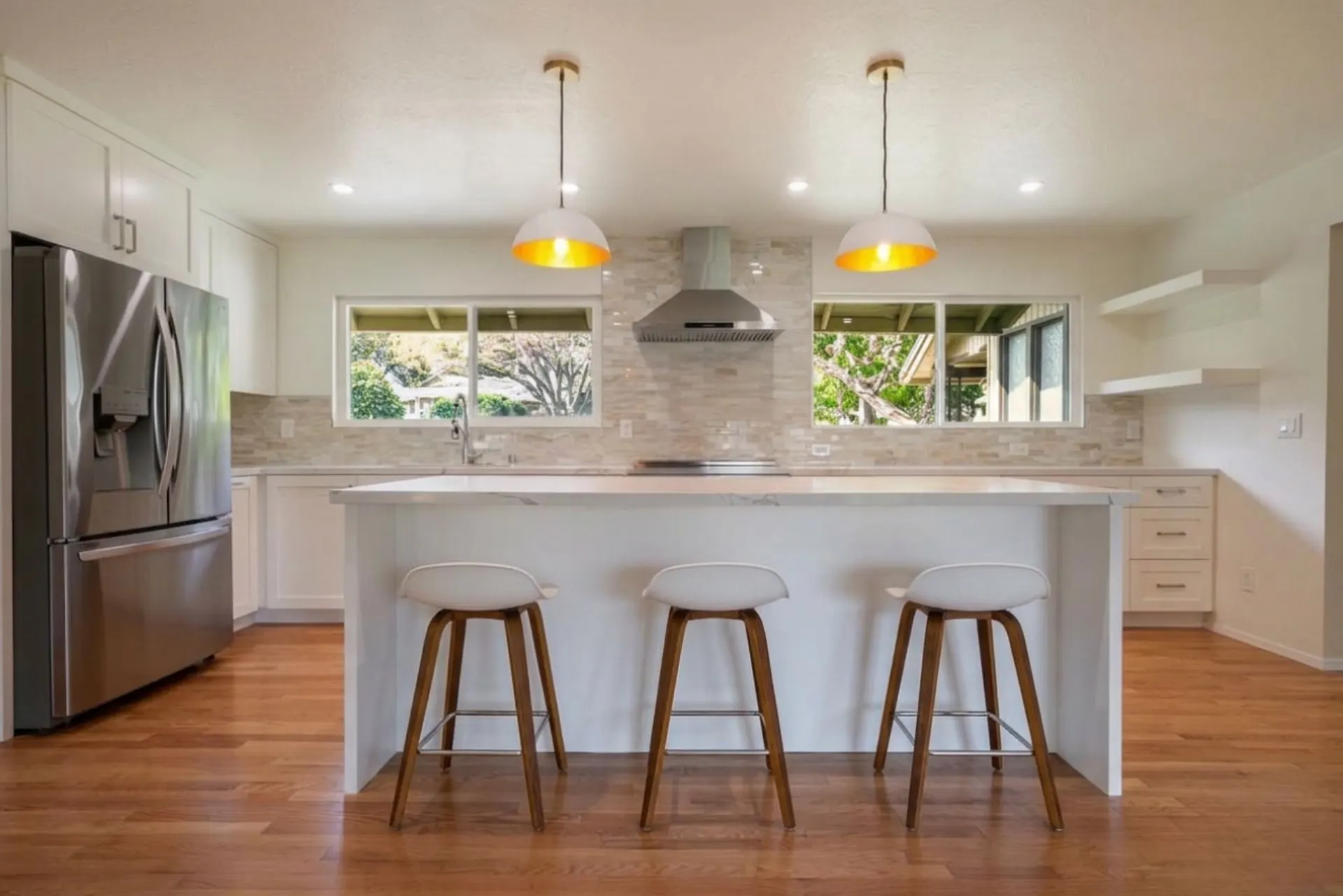
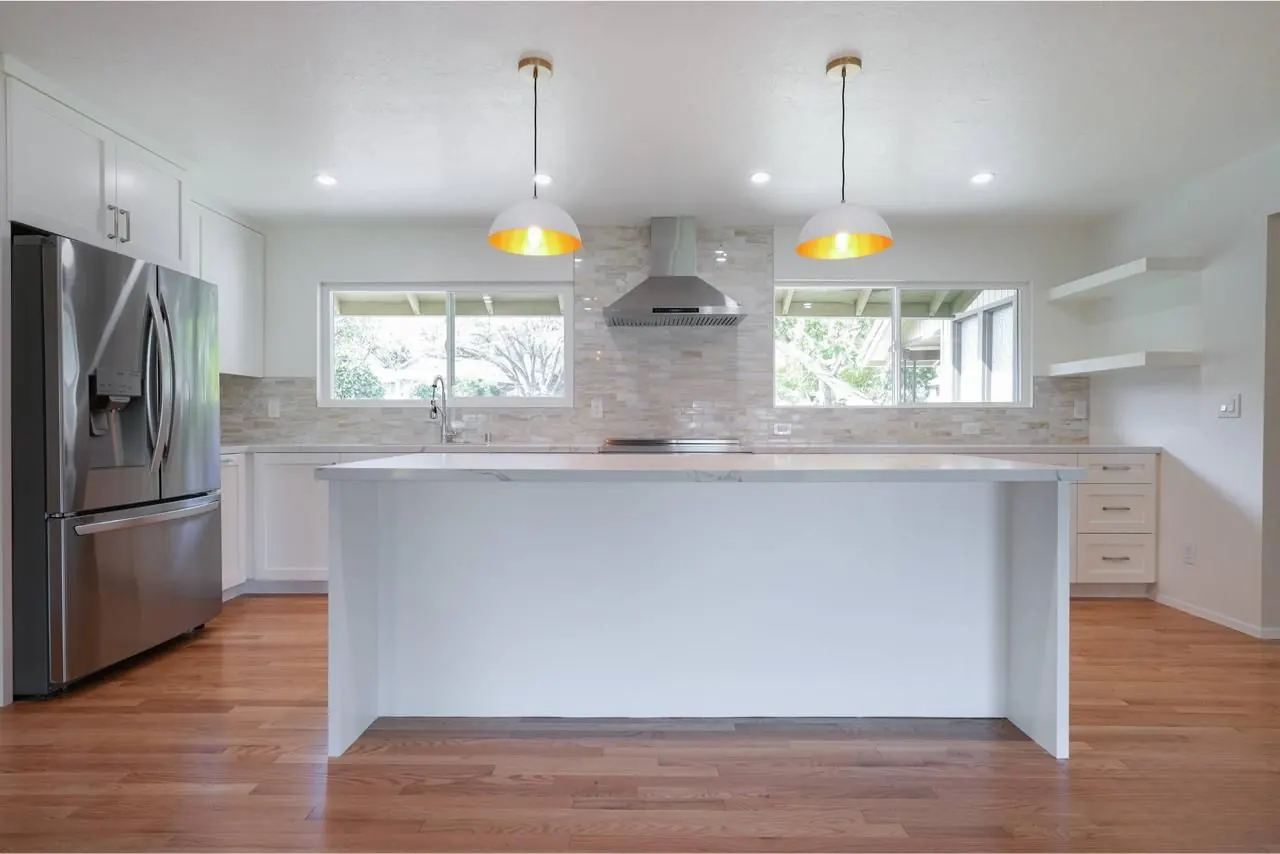
Open plan kitchen, mixed daylight and warm bulbs
Warm cast from the ceiling bulbs neutralized and window detail held instead of clipped. The hardwood floor stays wood rather than turning orange.
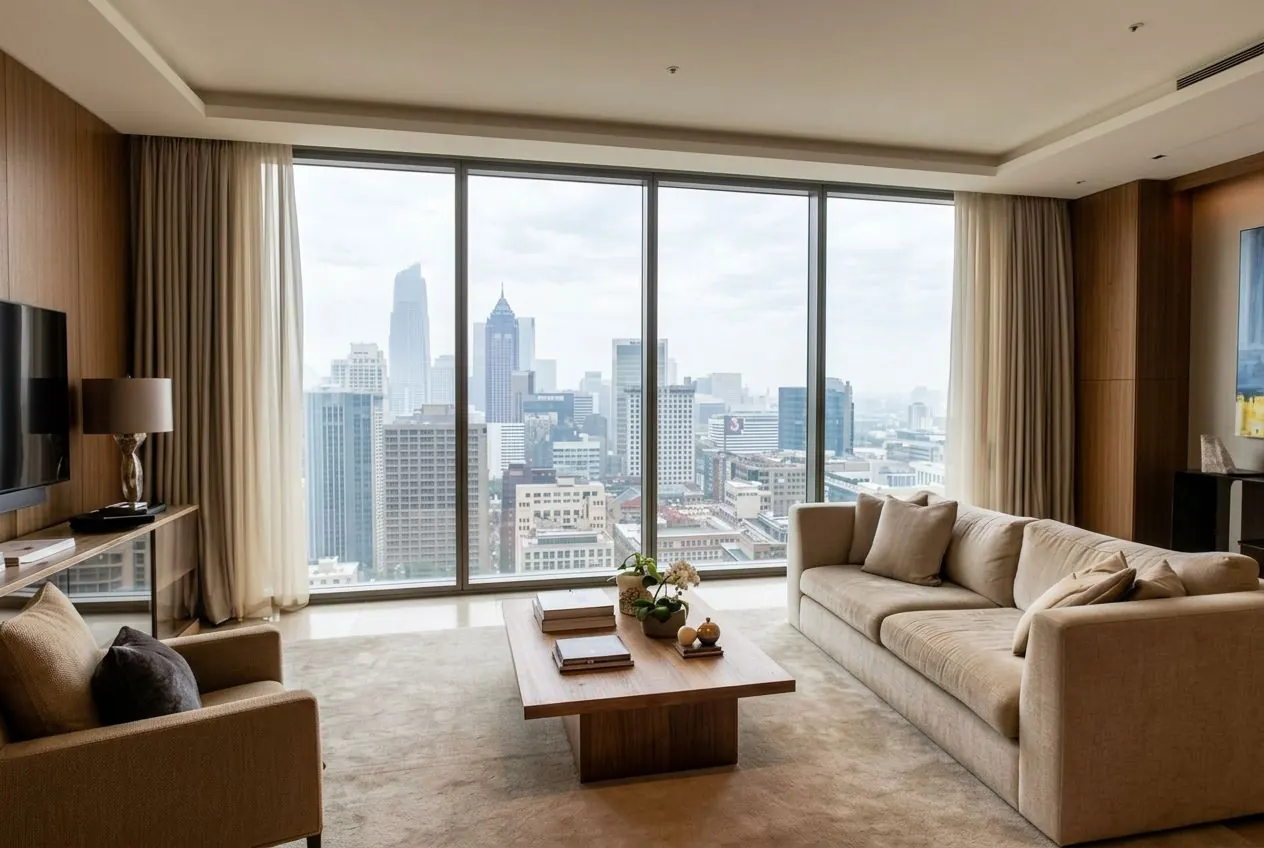
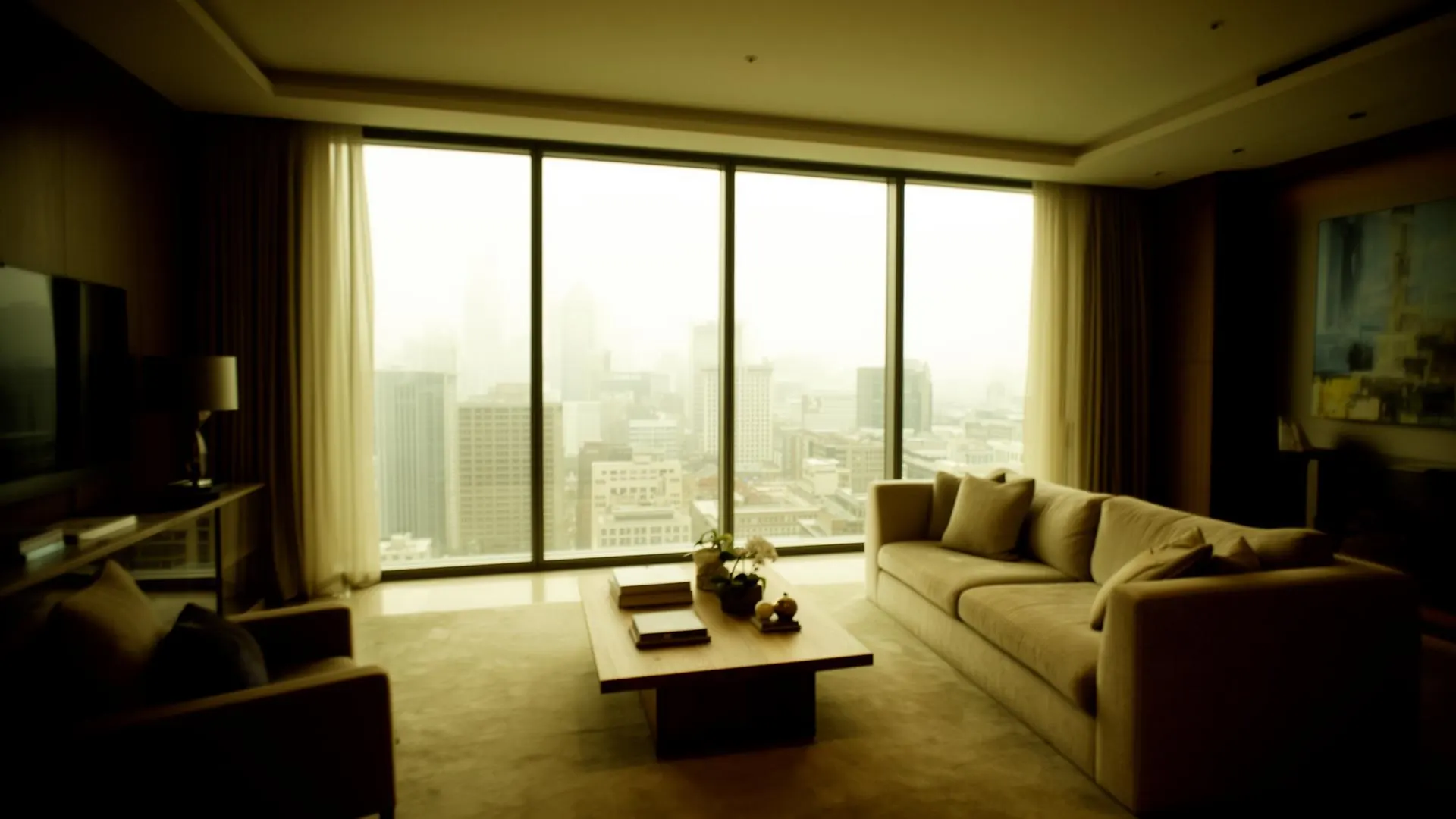
Living room backlit by a full height window
A strongly underexposed interior against a bright city window. Shadows opened so furniture and artwork read, with the window kept as a view.
Listing kitchen, brighter delivery
Shadows under the cabinets lifted and the cabinetry brought back to a true white point for a brighter listing treatment.
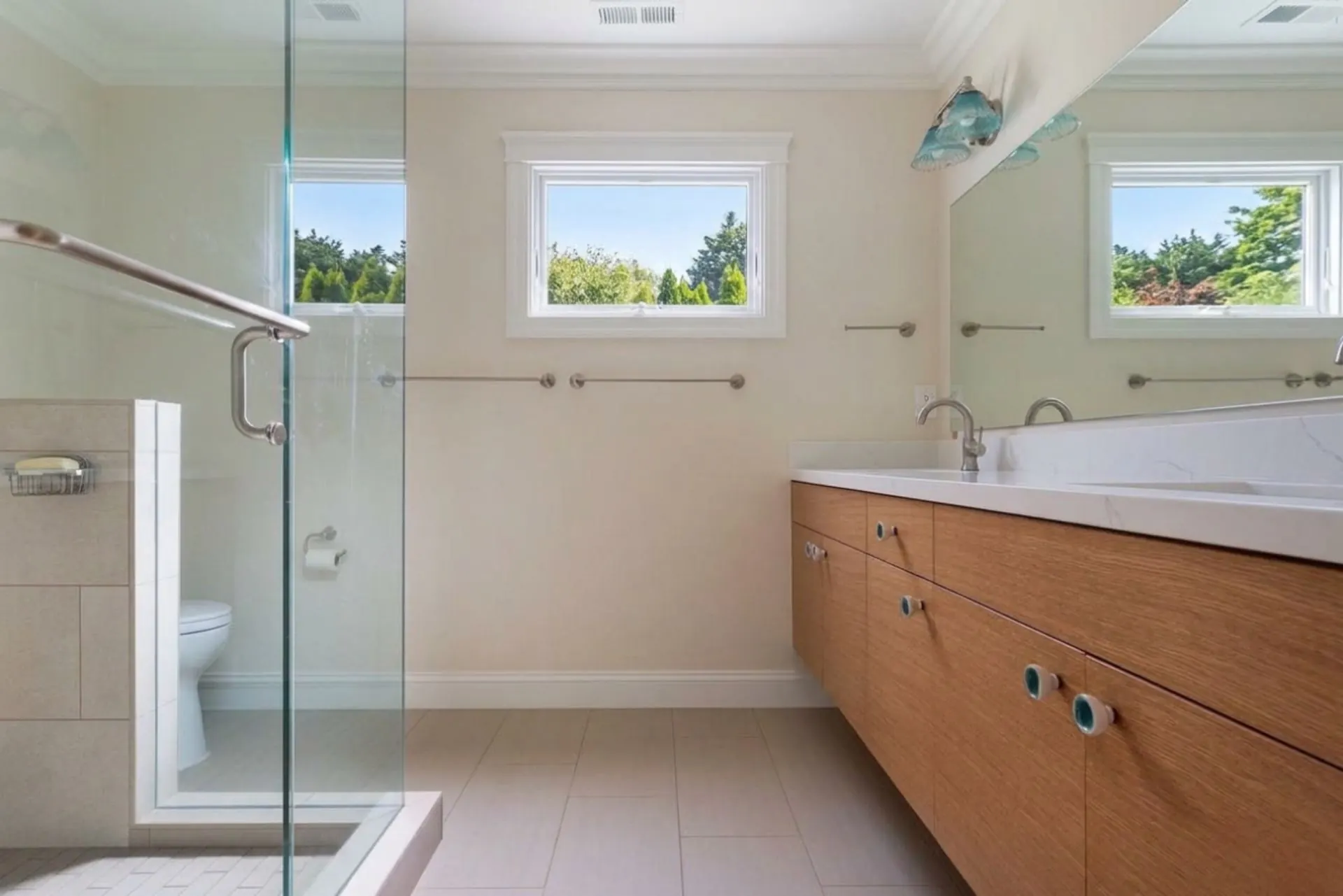
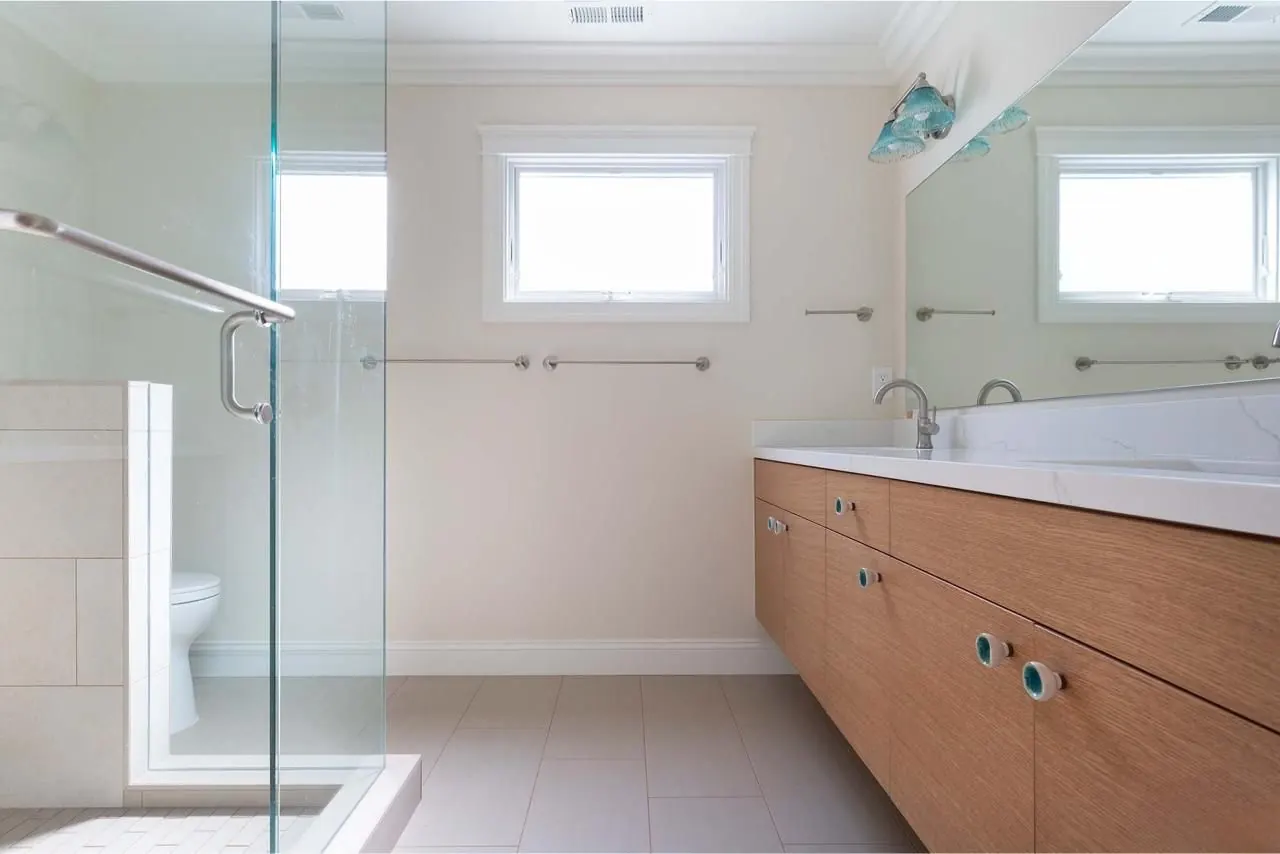
Bathroom with small high windows
Low contrast original with a flat grey wash, graded for a clean white point on the tiles while keeping the timber vanity honest.
More pairs, including architecture and portrait work, are in the before and after gallery.
When ProGrade makes sense, and when it does not
Most photographers end up using more than one of these. The question is which job goes where.
ProGrade AI
Best for: Listing sets that need correct color, balanced exposure and recovered window detail, delivered the same day.
Trade off: Corrective work only. No compositing, no staging, no geometry rebuilding.
Manual editing in Lightroom or Photoshop
Best for: Full control, compositing, retouching and geometry work on hero frames.
Trade off: Slower per image and results depend on the operator staying consistent across a set.
Outsourced editing
Best for: Volume work and edits ProGrade does not attempt, such as staging or object removal.
Trade off: Turnaround is measured in hours or days and per image cost adds up across listings.
Generic one click enhancers
Best for: Quick social crops where accuracy does not matter much.
Trade off: Global filters that push saturation and often clip the window further rather than correcting interior light.
What ProGrade AI does not do
- Compositing frames or blending exposure brackets
- Virtual staging or adding furniture to an empty room
- Removing objects, cables, or reflections from a scene
- Correcting converging verticals or lens geometry
- Rebuilding a window view that was fully clipped in camera
Those jobs stay with a manual editor or a staging service. ProGrade is the corrective step before them.
Who it is for
- Real estate photographers who want the corrective pass done before delivery
- Agents finishing their own MLS photos without an editing background
- Airbnb and short-let hosts fixing interior light in their listing set
- Property marketing teams keeping tone consistent across many listings
Questions buyers ask
Is ProGrade AI a good fit for real estate photo editing?
It fits if your problem is corrective: mixed white balance, dark interiors, bright windows, flat contrast, or a listing set that does not match. It is not a fit if you need virtual staging, object removal, compositing, or geometry correction.
Can it really recover a blown out window?
It recovers highlight information the file still holds, which is often more than the screen suggests, especially in RAW and DNG. Where the pixels are fully clipped there is no data left, so nothing can be reconstructed. ProGrade does not merge brackets or replace skies.
How many photos can I edit at once?
Batch Style Match applies one reference look across up to 5 images per run. For a full listing set you run it in groups.
Does it accept RAW and DNG files from my camera?
Yes. RAW and DNG files up to 100MB are accepted and opened through their embedded preview, alongside JPG, PNG and HEIC.
What can I try before paying?
Without an account you get 1 free AI edit. Creating a free account raises that to 3. No card is required to try it.
Does it replace Lightroom or Photoshop?
No. It replaces the repetitive corrective pass on listing photos. Hero frames that need compositing, retouching or geometry work still belong in a manual editor.
Should I use software or keep outsourcing my listing edits?
An outsourced editor is worth it when you need work ProGrade does not attempt, such as staging, object removal or compositing. If the brief is the usual corrective list, exposure, white balance, window detail and consistency across the set, doing it yourself removes both the per image cost and the wait for a return delivery.
Do I need to install anything?
No. It runs in the browser on desktop or mobile, so there is nothing to install and no desktop catalog to manage.
Are the results fine for Zillow, MLS and other listing portals?
Yes. Portals accept any high quality file that meets their resolution rules and do not care which editor produced it. Export goes up to 4K from your original file.
Does it work for Airbnb and short let photos?
Yes. Short let interiors have the same problems as sale listings: warm bulbs, dark corners and bright windows. The Real Estate workflow handles those the same way.
Can I use photos taken on a phone?
Yes. Phone JPGs and HEIC files are accepted, and phone shots are the most common source of dark, warm interior frames.
Will the photos look over edited?
The grade is corrective rather than stylistic, so results read as a properly exposed photograph rather than a filter. You compare against the original before exporting, so you decide.
What happens to my listing photos?
Standard grading runs in your browser, so those edits stay on your device. AI features send the image to our secure processing service for that request only, and listing photos are never shared or published.
What resolution do I get back?
Export goes up to 4K. The output is scaled from your original file rather than generated detail, so there is no machine learning upscaling involved.
Try it on your hardest frame
Pick the interior you would normally spend the longest fixing, run it through Real Estate mode, and judge the result against the original before you decide.
Related AI Tools
- →Before and After Gallery
- →How AI Color Grading Works
- →Fix Blurry Photos
- →Brighten Dark Photos Online
- →Fix Underexposed Photos
- →Remove Yellow Tint
- →Correct White Balance with AI
- →Make Photo Professional
- →Improve Photo Quality
- →Best Lightroom Alternative
- →Best AI Photo Editor
- →How AI Real Estate Editing Works
- →Auto Enhance Listing Photos
- →Interior and Architectural Photo Editing
- →Restore Old Photos with AI
- →Fix Low Light Photos with AI
- →Improve Real Estate Photos
- →AI Headshot Photo Editor
- →Portrait Skin Tone Color Correction
- →Wedding Photo Color Grading
- →Batch Photo Color Correction
- →Ecommerce Product Photo Color Accuracy
- →Fix Grainy Photos with AI
- →AI Photo Editor for Social Media
- →Food Photography Editing AI
- →One-Click Photo Enhancer
- →Photo Editor Without a Subscription
- →Photo Editor vs Adobe Subscription
- →Airbnb Photo Editing AI
- →Enhance Photos Instantly
- →AI Photo Color Correction Tool
- →Fix Phone Camera Photos with AI
- →Auto Enhance Listing Photos
- →AI Photo Editor for Small Business
- →What Is ProGrade AI
- →3D Rendering with Custom Materials
- →Turn Floor Plan into 3D Image