
How AI Real Estate Photo Editing Works
Automated editing for property photos is narrower than the marketing around it suggests. It is very good at the tonal and colour problems that make interiors look worse than the room does in person, and it does nothing at all about geometry, staging or weather. This page explains which category each problem falls into.
If you have already decided you want a tool and are comparing options, the buyer comparison for real estate photo editors covers pricing, limits and workflow instead.
What the correction pass actually changes
Exposure and tonal balance
Interiors are usually shot a stop or two under to protect the windows. The correction pass lifts the midtones and shadows back to where the room actually reads, then holds the highlights so the frame does not go milky.
White balance
Tungsten bulbs push a room yellow, older LEDs push it green, and open shade pushes it blue. Neutralising the cast is the single change that most often makes walls and cabinetry look like the material they are.
Shadow recovery
Corners, hallways and under-cabinet areas fall away fast in a single exposure. Lifting them selectively keeps the room legible without flattening the whole image into grey.
Recoverable window detail
Where the sensor still holds data in the bright areas, the highlight pass pulls back some of the view and the frame around it. This is recovery of information that exists, not a new window.
Consistency across a set
A listing is judged as a sequence. Matching exposure and colour temperature between rooms matters more to the overall impression than any single frame being perfect.
Optional AI passes
Beyond the standard grade there are AI corrections for stubborn real estate frames, plus a prompt-driven edit for targeted requests. These run on servers rather than in the browser.
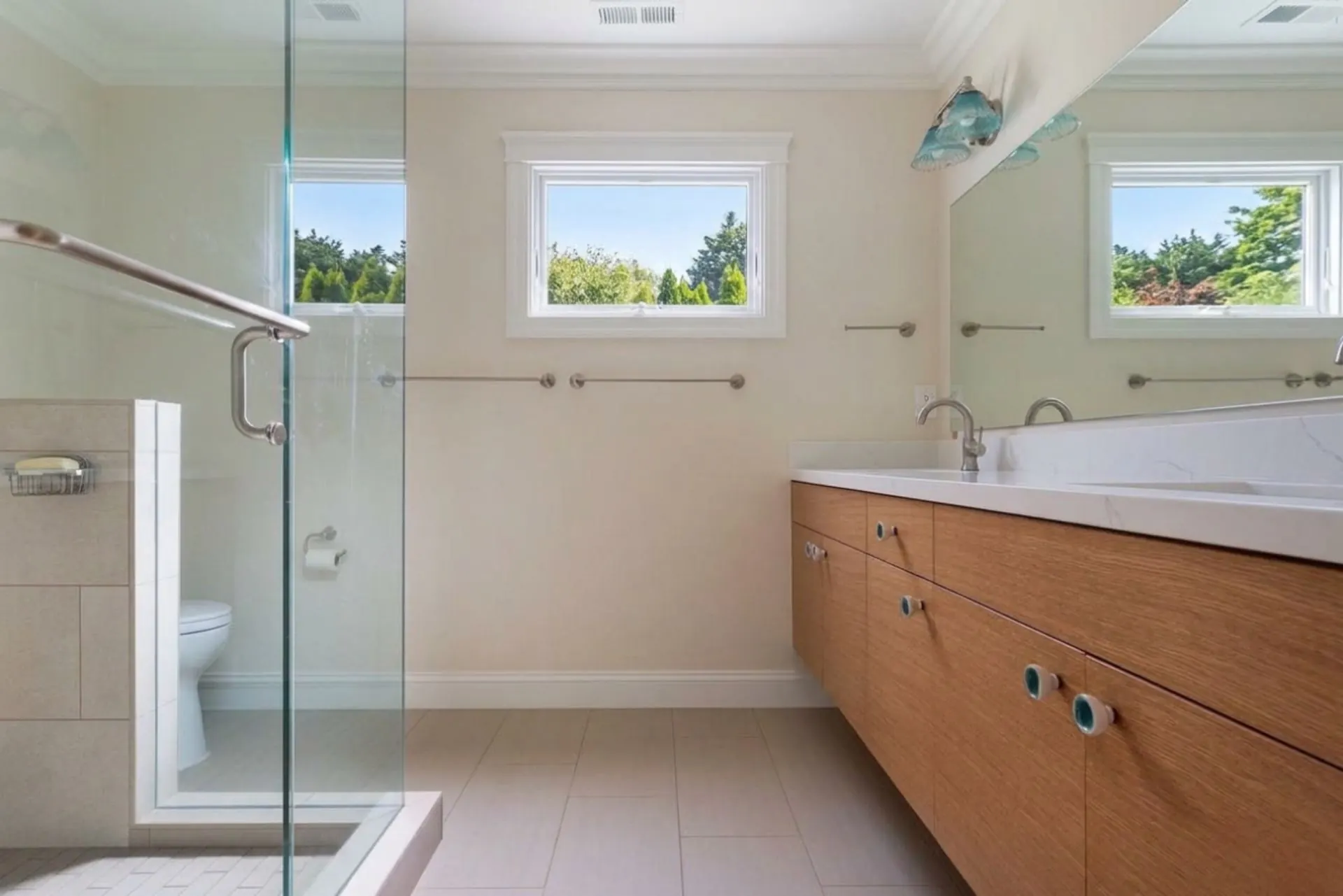
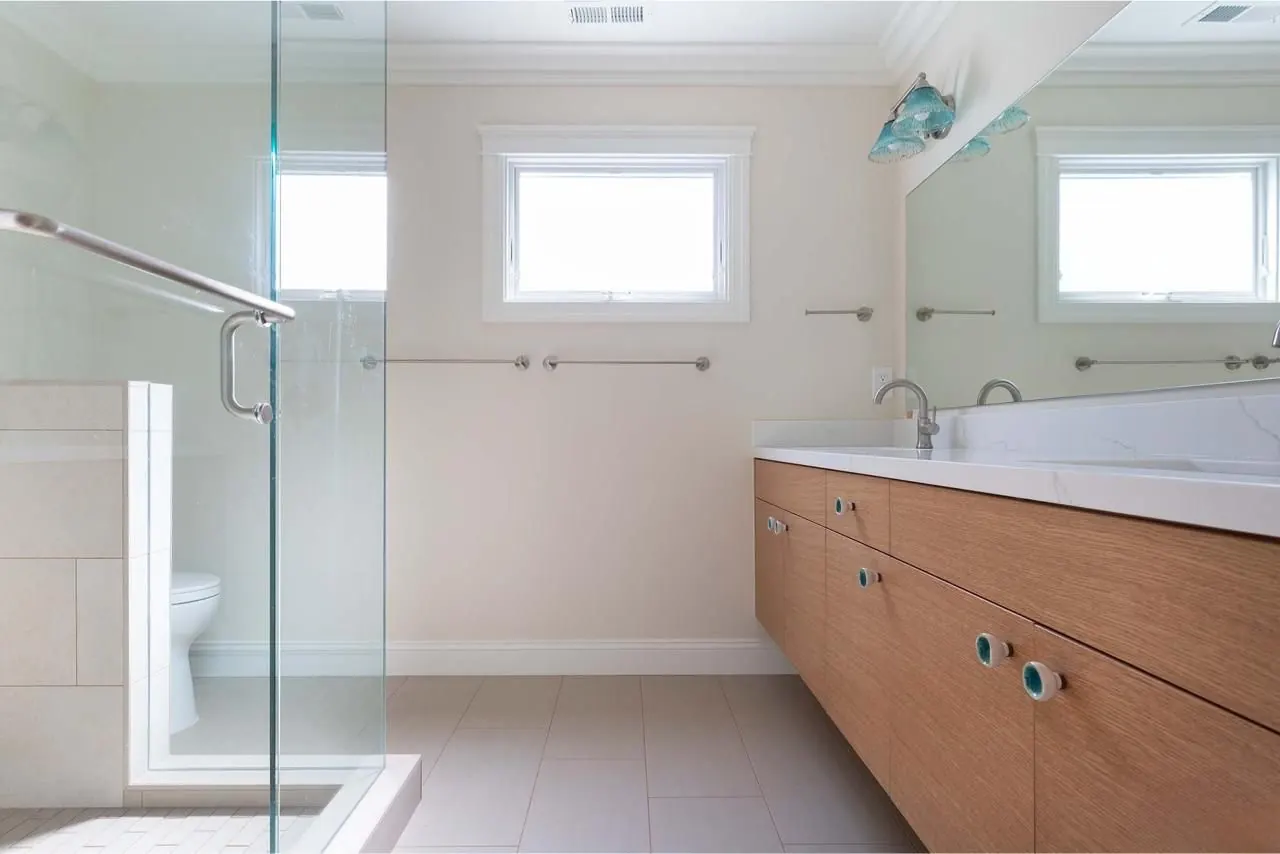
The same frame before and after a grading pass. Nothing in the room was added, removed or moved. Only exposure, colour and contrast changed.
Browser-side grading versus server-side AI
The standard grade is a set of tonal and colour operations that run locally in your browser on the image you loaded. Nothing leaves the machine for that pass, which is why it returns almost immediately and why it works the same whether you run one photo or come back to it later.
The AI passes are different. Those send the image to servers where a model does the work, which is why they take seconds rather than milliseconds and why they are metered rather than unlimited. Knowing which pass you are using explains most of the differences in speed you will notice.
Where automated editing stops
- Perspective and vertical correction. Converging walls stay as shot.
- Sky replacement. The sky you photographed is the sky you keep.
- Virtual staging. No furniture, decor or objects are added or removed.
- HDR merging of bracketed exposures into a single composite.
- True recovery of completely clipped areas. Pure white windows have no data left to restore.
None of those are on a roadmap being hidden from you. They are simply different problems: geometry work, compositing and staging belong to other categories of software, and a fully clipped highlight is missing data rather than badly interpreted data.
A realistic expectation for a listing set
- Rooms that were shot slightly dark come back bright and natural.
- Colour casts from mixed indoor lighting are neutralised.
- Partially blown windows regain some of their view; fully blown ones do not.
- The set reads as one shoot rather than a dozen unrelated frames.
- Framing, verticals and what is in the room stay exactly as photographed.
Where to go next
Comparing tools and pricing before you commit: read the best AI real estate photo editor comparison.
Still shooting the property: the shoot and edit checklist for listing photos covers what to fix before the camera comes out.
Holding a whole gallery together: see keeping listing photos consistent.
Working from plans instead of photographs? ProGrade AI can also render from a floor plan with chosen materials or turn a floor plan into a 3D image.
Related AI Tools
- →Before and After Gallery
- →How AI Color Grading Works
- →Fix Blurry Photos
- →Brighten Dark Photos Online
- →Fix Underexposed Photos
- →Remove Yellow Tint
- →Correct White Balance with AI
- →Make Photo Professional
- →Improve Photo Quality
- →Best Lightroom Alternative
- →Best AI Photo Editor
- →Best AI Real Estate Photo Editor
- →Auto Enhance Listing Photos
- →Interior and Architectural Photo Editing
- →Restore Old Photos with AI
- →Fix Low Light Photos with AI
- →Improve Real Estate Photos
- →AI Headshot Photo Editor
- →Portrait Skin Tone Color Correction
- →Wedding Photo Color Grading
- →Batch Photo Color Correction
- →Ecommerce Product Photo Color Accuracy
- →Fix Grainy Photos with AI
- →AI Photo Editor for Social Media
- →Food Photography Editing AI
- →One-Click Photo Enhancer
- →Photo Editor Without a Subscription
- →Photo Editor vs Adobe Subscription
- →Airbnb Photo Editing AI
- →Enhance Photos Instantly
- →AI Photo Color Correction Tool
- →Fix Phone Camera Photos with AI
- →Auto Enhance Listing Photos
- →AI Photo Editor for Small Business
- →What Is ProGrade AI
- →3D Rendering with Custom Materials
- →Turn Floor Plan into 3D Image