
Keep Colour and Tone Consistent Across Listing Photos
A listing is twenty to forty frames, not one. Edited individually they drift: the kitchen ends up warmer than the living room, one bedroom sits a stop brighter than the next, and the set reads inconsistent even when each photo looks fine alone.
Batch Style Match fixes that by applying one identical treatment to a group of photos. It processes up to 5 images per run, so a full listing is handled as a series of five-image runs using the same style each time. Single frames are quicker in the one-at-a-time editor.
✨ Open Batch Style MatchWhere Gallery Consistency Breaks Down
- The kitchen reads warmer than the living room because the bulbs were different
- One bedroom sits half a stop brighter than the next
- White walls look cream in one frame and grey in another
- Exterior shots taken an hour apart do not match each other
- Each photo looks acceptable alone, but the gallery feels uneven when scrolled
What ProGrade AI Corrects
- Neutralises the colour cast in each room so whites agree across the set
- Balances exposure between rooms that were shot under different light
- Recovers window detail where the highlights were not fully clipped
- Applies one saved look to a run of photos so the treatment is identical
- Exports MLS-ready files without a subscription or a round trip to an editor
Running a Full Listing in Five-Image Batches
Group your gallery into runs of up to five photos, usually by room or by lighting condition
Run the first set and set the look you want
Repeat with the next five, applying the same style so the whole listing lines up
A thirty-photo listing is six runs. It is not one click, but the runs take seconds each and the result holds together far better than editing thirty frames by hand and hoping they match.
Before and After
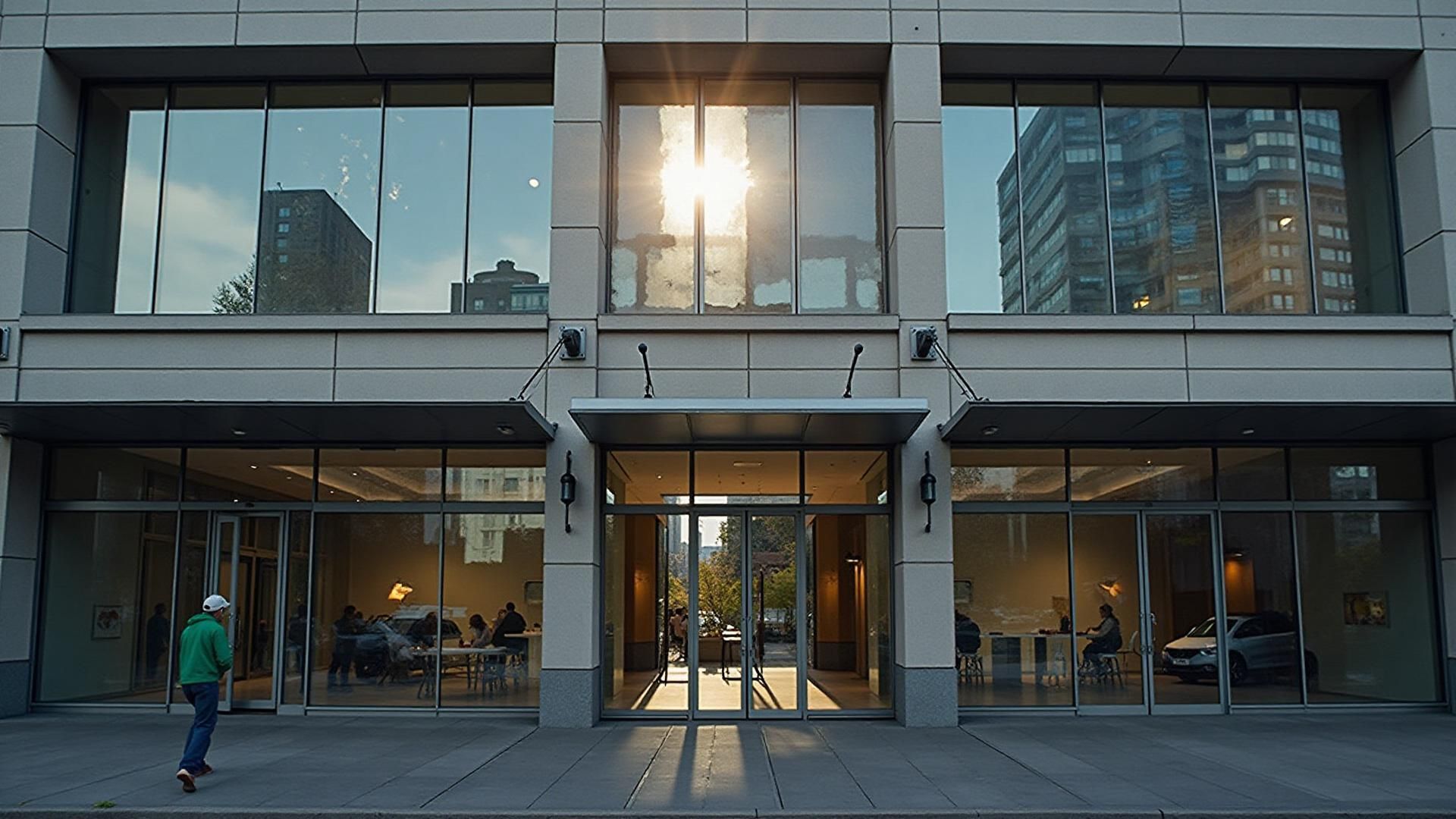
One listing frame after a correction pass: exposure, white balance and contrast changed, the room untouched.
Why Rooms Do Not Match Each Other
The cause is almost always the light. The living room has large south-facing windows flooding it with warm daylight. The kitchen has overhead fixtures giving a cooler, flatter light. The bathroom has harsh vanity bulbs. Each room presents a different white balance and exposure problem, and correcting each one in isolation is what produces the drift.
Matching a run of photos to a single style solves it at the level buyers actually experience: the gallery. Every room ends up with neutral colour and sane exposure regardless of what it was lit with, and the listing tells one visual story from the first photo to the last.
Worth being clear about what this is not. Consistent grading does not change framing, straighten walls, correct wide-angle distortion or alter the proportions of a room. Those are capture decisions, and the shoot and edit checklist covers getting them right on the day.
MLS Requirements and Turnaround
Most MLS platforms accept JPEG and recommend a minimum of 1024 pixels on the longest side. The real standard, though, is set by the listings next to yours. Buyers compare your gallery against every other one they scroll past, and an uneven set loses attention before the specifications are ever read.
Running the set yourself in batches of five removes the wait for outsourced editing entirely. You can post while the property tour is still fresh, and the mechanics of how the corrections work are explained in how AI real estate editing works.
Frequently Asked Questions
How many photos can I process in one run?
Batch Style Match handles up to 5 images per run. A 20 to 40 photo listing is processed as a series of runs of five, applying the same style each time.
Can I do a whole 30-photo listing?
Yes, but not in a single pass. You run it in batches of five and reuse the same style settings, so the finished gallery still looks consistent end to end. There is no one-click option that ingests an entire listing at once.
Why does consistency matter more than any single photo?
Buyers scroll a listing as a sequence. When brightness and colour drift between rooms, the property reads as less trustworthy even when the viewer cannot say why. Matching the set is usually worth more than perfecting one hero frame.
Will it make photos look fake or over-edited?
No. The corrections are technical: exposure, white balance, contrast and highlight handling. Nothing is added to the scene and no artificial HDR look is applied.
Does it fix wide-angle distortion or leaning walls?
No. ProGrade AI does not correct perspective, straighten verticals or remove lens distortion. Those are geometry problems that have to be handled at capture.
What types of listing photos does it work on?
Residential homes, apartments, commercial spaces, vacation rentals and Airbnb listings, interior and exterior alike.
Match up to five photos at a time and keep the whole listing looking like one shoot.
✨ Try Batch Style MatchGoing beyond photo editing? Use ProGrade AI to render from floor plans with materials or turn floor plans into 3D images directly from a 2D plan.
Related AI Tools
- →Before and After Gallery
- →How AI Color Grading Works
- →Fix Blurry Photos
- →Brighten Dark Photos Online
- →Fix Underexposed Photos
- →Remove Yellow Tint
- →Correct White Balance with AI
- →Make Photo Professional
- →Improve Photo Quality
- →Best Lightroom Alternative
- →Best AI Photo Editor
- →How AI Real Estate Editing Works
- →Best AI Real Estate Photo Editor
- →Interior and Architectural Photo Editing
- →Restore Old Photos with AI
- →Fix Low Light Photos with AI
- →Improve Real Estate Photos
- →AI Headshot Photo Editor
- →Portrait Skin Tone Color Correction
- →Wedding Photo Color Grading
- →Batch Photo Color Correction
- →Ecommerce Product Photo Color Accuracy
- →Fix Grainy Photos with AI
- →AI Photo Editor for Social Media
- →Food Photography Editing AI
- →One-Click Photo Enhancer
- →Photo Editor Without a Subscription
- →Photo Editor vs Adobe Subscription
- →Airbnb Photo Editing AI
- →Enhance Photos Instantly
- →AI Photo Color Correction Tool
- →Fix Phone Camera Photos with AI
- →AI Photo Editor for Small Business
- →What Is ProGrade AI
- →3D Rendering with Custom Materials
- →Turn Floor Plan into 3D Image